Video Player - pc
Screenshots and options in this document are for reference only. Actual displays may differ due to system version, application version or device model. Please refer to the actual interface.
Feature Introduction
The video player built into the NAS system delivers comprehensive playback functions and diverse configuration options to meet your media‑viewing needs across different devices.
Basic Playback Functions
You can perform the following basic operations on the playback interface:
- Quick Forward / Rewind: When playing videos on PC, you can jump through time with shortcut controls:
-
Forward: Jump ahead 10 seconds
-
Rewind: Jump back 10 seconds Use the corresponding controls during playback to quickly adjust the playback progress.
-
Volume Adjustment: Drag the volume slider to quickly change audio volume.
-
Resolution Switching:
-
Web Client: Supports playback up to 1080P.
-
Windows / macOS Client: Supports Original Quality playback for lossless, maximum‑fidelity viewing.
- Playback Speed: Playback speed ranges from 0.5× to 2.0×. You may select faster or slower playback as required.

Full‑screen and Floating‑window Modes
-
Full‑screen Playback: Click the Full‑screen button to expand video to fill the entire screen for an immersive viewing experience.
-
Floating‑window Mode (Picture‑in‑Picture): Click the Floating Window button. The video shrinks into a floating overlay so you can work on other tasks simultaneously.
-
Window Adjustment: Freely drag to reposition and resize the window. (The window automatically reverts to normal size if scaled too large.)
-
Basic Controls: Only Play / Pause and Forward / Rewind are available in floating‑window mode.

Subtitle Display
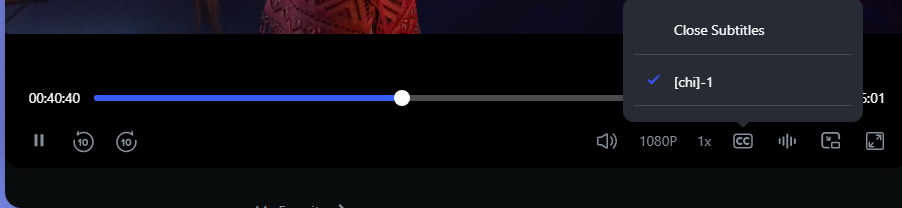
The player supports embedded subtitles and offers rich customization options.
Loading Method:
- Embedded Subtitles: Automatically loads subtitle streams built‑inside the video file.
General Playback Settings
- Audio‑track Switching: For videos with multiple audio tracks, freely switch between different language or version audio tracks during playback.
